Video
Wan-2.1 Pro Text-to-Video Varianten: 6
≈ 0,80 $
800 API-Kreditter
Keng Resultater. Probéiert „video“, „FLUX“ oder „webhooks“.
Modeller gi gelueden…
wan-pro/image-to-video
# Run the model; wait up to 20 s for the finished result in the same call
curl -X POST "https://api.doitong.com/v1/run/wan-pro/image-to-video?wait=20" \
  -H "Authorization: Bearer $DOITONG_API_KEY" \
  -H "Content-Type: application/json" \
  -d '{
    "prompt": "A red fox trots through fresh snow at sunrise, soft golden light, shallow depth of field",
    "image": "https://content.doitong.com/images/showcase/v3/gen_fox_cartoon.jpg"
  }'

# Still "queued" or "running"? Poll with the id from the response:
curl "https://api.doitong.com/v1/requests/REQUEST_ID?wait=20" \
  -H "Authorization: Bearer $DOITONG_API_KEY"
const API = "https://api.doitong.com/v1";
const headers = {
"Authorization": "Bearer " + process.env.DOITONG_API_KEY,
"Content-Type": "application/json",
};
// Run the model; wait up to 20 s for the finished result in the same call
let res = await fetch(API + "/run/wan-pro/image-to-video?wait=20", {
method: "POST",
headers,
body: JSON.stringify({
"prompt": "A red fox trots through fresh snow at sunrise, soft golden light, shallow depth of field",
"image": "https://content.doitong.com/images/showcase/v3/gen_fox_cartoon.jpg"
}),
});
let request = await res.json();
if (!res.ok) throw new Error(request.error.code + ": " + request.error.message);
// Not finished yet: long-poll until it is
while (request.status === "queued" || request.status === "running") {
res = await fetch(API + "/requests/" + request.id + "?wait=20", { headers });
request = await res.json();
}
if (request.status !== "succeeded") throw new Error(JSON.stringify(request.error));
console.log(request.outputs.map((o) => o.url), request.cost.credits + " API credits ($" + request.cost.usd + ")");import os
import requests
API = "https://api.doitong.com/v1"
headers = {"Authorization": "Bearer " + os.environ["DOITONG_API_KEY"]}
payload = {
"prompt": "A red fox trots through fresh snow at sunrise, soft golden light, shallow depth of field",
"image": "https://content.doitong.com/images/showcase/v3/gen_fox_cartoon.jpg",
}
# Run the model; wait up to 20 s for the finished result in the same call
r = requests.post(API + "/run/wan-pro/image-to-video", params={"wait": 20}, json=payload, headers=headers)
request = r.json()
if not r.ok:
raise RuntimeError(request["error"]["code"] + ": " + request["error"]["message"])
# Not finished yet: long-poll until it is
while request["status"] in ("queued", "running"):
request = requests.get(API + "/requests/" + request["id"], params={"wait": 20}, headers=headers).json()
if request["status"] != "succeeded":
raise RuntimeError(request["error"])
print([o["url"] for o in request["outputs"]], request["cost"]["credits"], "API credits", "$" + request["cost"]["usd"])# 1. Connect once (Claude Code; Cursor, VS Code, Claude Desktop: https://doitong.com/lb/developers/docs/mcp)
claude mcp add --transport http doitong-models https://api.doitong.com/v1/mcp \
--header "Authorization: Bearer $DOITONG_API_KEY"
# 2. Your agent calls the "run" tool with:
{
"model_id": "wan-pro/image-to-video",
"input": {
"prompt": "A red fox trots through fresh snow at sunrise, soft golden light, shallow depth of field",
"image": "https://content.doitong.com/images/showcase/v3/gen_fox_cartoon.jpg"
}
}Rufft de Wan-2.1 Pro Image-to-Video-Modell (wan-pro/image-to-video) iwwer d'Doitong API op. Dokumentatioun fir Agenten: https://doitong.com/lb/developers/models/wan-pro/image-to-video.md
POST https://api.doitong.com/v1/run/wan-pro/image-to-video?wait=20
Authorization: Bearer $DOITONG_API_KEY
Content-Type: application/json
{
"prompt": "A red fox trots through fresh snow at sunrise, soft golden light, shallow depth of field",
"image": "https://content.doitong.com/images/showcase/v3/gen_fox_cartoon.jpg"
}
Wann de Äntwertstatus "queued" oder "running" ass, frot GET https://api.doitong.com/v1/requests/REQUEST_ID?wait=20 of, bis en "succeeded" ass; d'Dateie stinn an outputs[].url. POST https://api.doitong.com/v1/quote/wan-pro/image-to-video mam selwechte Body gëtt de geneeë Präis virun der Ausféierung zréck.Dës Ufro: 0,80 $ 800 API-Kreditter Op dëser Säit ausféieren
Ären neien API-Schlëssel. Si gëtt nëmmen elo ugewisen a steet schonn am Code an am API-Schlëssel-Feld hei drënner. Halt se geheim: Setz se ni an Code, deen an engem Browser leeft.
Ëffentlech Wierker, déi d'Doitong-Communautéit mat Wan 2.1 erstallt huet. Benotz e Prompt mat engem Klick nach eng Kéier.
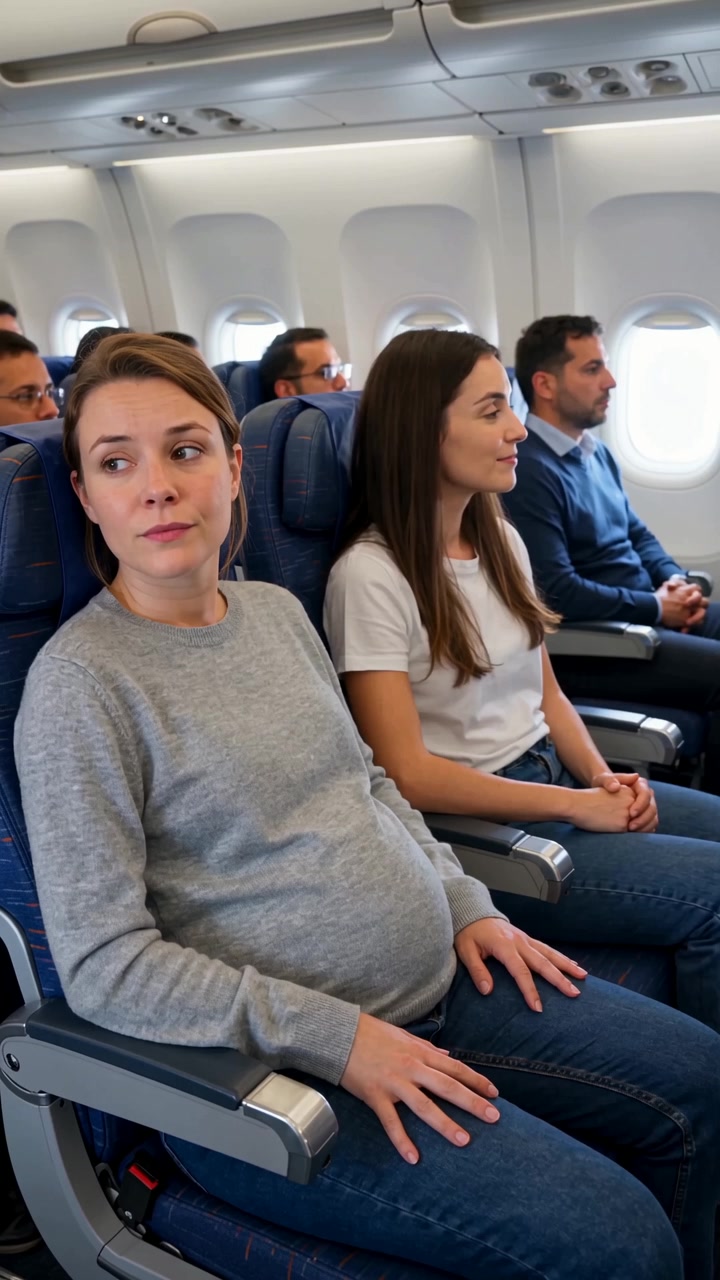 Video
Create a highly realistic UGC-style smartphone video inside a modern commercial airplane during a daytime flight. Natural cabin lighting, subtle handheld camera movement, authentic airplane ambience, realistic passengers and natural acting. The video must feel like a real spontaneous phone...
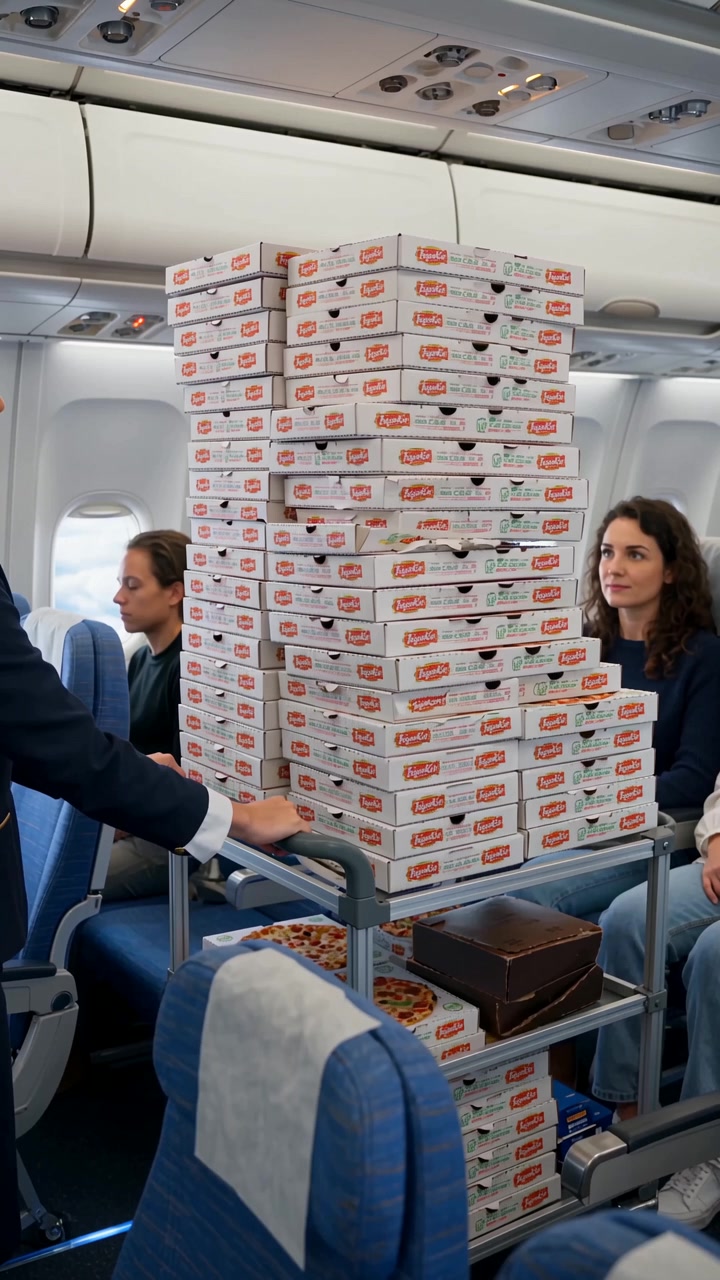 Video
**SORA 2 PROMPT — 20 seconds, vertical 9:16** Create a highly realistic UGC-style smartphone video inside a modern commercial airplane during a daytime flight. Natural cabin lighting, subtle handheld camera movement, authentic airplane ambience, realistic passengers and natural acting. The video...
 Video
Create a realistic cinematic 20-second video, filmed like a high-budget modern commercial with natural acting, realistic lighting and believable facial expressions. All dialogue is spoken naturally in French. **SCENE 1 — EXPENSIVE RESTAURANT, EVENING — 0–5 sec** A young man in his late 20s is...
 Video
Create a realistic cinematic UGC-style commercial video, exactly 30 seconds long. The entire scene takes place inside a modern passenger airplane during a daytime flight. Natural smartphone-like cinematography, realistic airplane cabin, authentic passengers, natural lighting, realistic skin...
D'Kontrolle ginn aus dem Modellschema generéiert. De Code an de Präis aktualiséiere sech, wann s du se ännerst.
/run/wan-pro/image-to-video?wait=20
Präis → 0,80 $
# Run the model; wait up to 20 s for the finished result in the same call
curl -X POST "https://api.doitong.com/v1/run/wan-pro/image-to-video?wait=20" \
  -H "Authorization: Bearer $DOITONG_API_KEY" \
  -H "Content-Type: application/json" \
  -d '{
    "prompt": "A red fox trots through fresh snow at sunrise, soft golden light, shallow depth of field",
    "image": "https://content.doitong.com/images/showcase/v3/gen_fox_cartoon.jpg"
  }'

# Still "queued" or "running"? Poll with the id from the response:
curl "https://api.doitong.com/v1/requests/REQUEST_ID?wait=20" \
  -H "Authorization: Bearer $DOITONG_API_KEY"
const API = "https://api.doitong.com/v1";
const headers = {
"Authorization": "Bearer " + process.env.DOITONG_API_KEY,
"Content-Type": "application/json",
};
// Run the model; wait up to 20 s for the finished result in the same call
let res = await fetch(API + "/run/wan-pro/image-to-video?wait=20", {
method: "POST",
headers,
body: JSON.stringify({
"prompt": "A red fox trots through fresh snow at sunrise, soft golden light, shallow depth of field",
"image": "https://content.doitong.com/images/showcase/v3/gen_fox_cartoon.jpg"
}),
});
let request = await res.json();
if (!res.ok) throw new Error(request.error.code + ": " + request.error.message);
// Not finished yet: long-poll until it is
while (request.status === "queued" || request.status === "running") {
res = await fetch(API + "/requests/" + request.id + "?wait=20", { headers });
request = await res.json();
}
if (request.status !== "succeeded") throw new Error(JSON.stringify(request.error));
console.log(request.outputs.map((o) => o.url), request.cost.credits + " API credits ($" + request.cost.usd + ")");import os
import requests
API = "https://api.doitong.com/v1"
headers = {"Authorization": "Bearer " + os.environ["DOITONG_API_KEY"]}
payload = {
"prompt": "A red fox trots through fresh snow at sunrise, soft golden light, shallow depth of field",
"image": "https://content.doitong.com/images/showcase/v3/gen_fox_cartoon.jpg",
}
# Run the model; wait up to 20 s for the finished result in the same call
r = requests.post(API + "/run/wan-pro/image-to-video", params={"wait": 20}, json=payload, headers=headers)
request = r.json()
if not r.ok:
raise RuntimeError(request["error"]["code"] + ": " + request["error"]["message"])
# Not finished yet: long-poll until it is
while request["status"] in ("queued", "running"):
request = requests.get(API + "/requests/" + request["id"], params={"wait": 20}, headers=headers).json()
if request["status"] != "succeeded":
raise RuntimeError(request["error"])
print([o["url"] for o in request["outputs"]], request["cost"]["credits"], "API credits", "$" + request["cost"]["usd"]){
"jsonrpc": "2.0",
"id": 1,
"method": "tools/call",
"params": {
"name": "run",
"arguments": {
"model_id": "wan-pro/image-to-video",
"input": {
"prompt": "A red fox trots through fresh snow at sunrise, soft golden light, shallow depth of field",
"image": "https://content.doitong.com/images/showcase/v3/gen_fox_cartoon.jpg"
},
"wait_seconds": 20
}
}
}Äre Schlëssel bleift an dësem Browser: e gëtt nëmmen un d'Doitong API geschéckt an nëmme gespäichert (localStorage), wann s du „Erënneren“ aktivéiers. En API-Schlëssel kréien
Animéiert e Stillbild, dat als `image_url` uginn ass, gesteiert vun engem `prompt`. D'Ausgab ass eng Videodatei. Déi eenzeg aner Inputs si `seed` fir Reproduzéierbarkeet an den Umschalter vum Sécherheetschecker. Et gi keng Optioune fir Opléisung oder Dauer.
Schéck entweder den kanoneschen Numm oder den natierlechen Numm, net béid. Kanonesch Nimm
promptobligatoresch
seedoptional
enable_safety_checkeroptional
image_urlobligatoresch
image
Fichierparameter akzeptéieren eng ëffentlech https:// URL, eng data: URI bis zu 10 MB oder de file_url vun engem Upload. Fichieren
{
  "id": "req_8k2m4q7x1z9c3v5b6n0p2r4t",
  "object": "request",
  "model": "wan-pro/image-to-video",
  "status": "succeeded",
  "created_at": "2026-10-20T12:00:00Z",
  "started_at": "2026-10-20T12:00:02Z",
  "completed_at": "2026-10-20T12:00:09Z",
  "queue_position": null,
  "cost": {
    "credits": 800,
    "usd": "0.80",
    "charged": 800,
    "refunded": 0
  },
  "input": {
    "prompt": "A red fox trots through fresh snow at sunrise, soft golden light, shallow depth of field",
    "image_url": "https://content.doitong.com/images/showcase/v3/gen_fox_cartoon.jpg"
  },
  "output": {
    "video": {
      "url": "https://content.doitong.com/dev-api/2026/10/20/req_8k2m4q7x1z9c3v5b6n0p2r4t/0-output.mp4",
      "content_type": "video/mp4",
      "file_name": "0-output.mp4",
      "file_size": 1843200
    }
  },
  "outputs": [
    {
      "type": "video",
      "url": "https://content.doitong.com/dev-api/2026/10/20/req_8k2m4q7x1z9c3v5b6n0p2r4t/0-output.mp4",
      "content_type": "video/mp4",
      "file_size": 1843200,
      "width": 1280,
      "height": 720,
      "duration": 5,
      "stored": true
    }
  ],
  "error": null,
  "metrics": {
    "inference_seconds": 6.8
  },
  "urls": {
    "self": "https://api.doitong.com/v1/requests/req_8k2m4q7x1z9c3v5b6n0p2r4t",
    "cancel": "https://api.doitong.com/v1/requests/req_8k2m4q7x1z9c3v5b6n0p2r4t/cancel"
  }
}


Fir AI-Agenten: dës Säit als Markdown ass ënner https://doitong.com/lb/developers/models/wan-pro/image-to-video.md. All Modeller a Guiden: https://doitong.com/developers/llms.txt