Datei
Wan-2.2 LoRA Trainer · I2V A14b Varianten: 2
0,005 $ / Schritt
5 API-Credits / Schritt
Keine Treffer. Versuche „video“, „FLUX“ oder „webhooks“.
Modelle werden geladen…
wan-22-trainer/t2v-a14b
# Run the model; wait up to 20 s for the finished result in the same call
curl -X POST "https://api.doitong.com/v1/run/wan-22-trainer/t2v-a14b?wait=20" \
  -H "Authorization: Bearer $DOITONG_API_KEY" \
  -H "Content-Type: application/json" \
  -d '{
    "training_data_url": "https://example.com/your-file.zip"
  }'

# Still "queued" or "running"? Poll with the id from the response:
curl "https://api.doitong.com/v1/requests/REQUEST_ID?wait=20" \
  -H "Authorization: Bearer $DOITONG_API_KEY"
const API = "https://api.doitong.com/v1";
const headers = {
"Authorization": "Bearer " + process.env.DOITONG_API_KEY,
"Content-Type": "application/json",
};
// Run the model; wait up to 20 s for the finished result in the same call
let res = await fetch(API + "/run/wan-22-trainer/t2v-a14b?wait=20", {
method: "POST",
headers,
body: JSON.stringify({
"training_data_url": "https://example.com/your-file.zip"
}),
});
let request = await res.json();
if (!res.ok) throw new Error(request.error.code + ": " + request.error.message);
// Not finished yet: long-poll until it is
while (request.status === "queued" || request.status === "running") {
res = await fetch(API + "/requests/" + request.id + "?wait=20", { headers });
request = await res.json();
}
if (request.status !== "succeeded") throw new Error(JSON.stringify(request.error));
console.log(request.outputs.map((o) => o.url), request.cost.credits + " API credits ($" + request.cost.usd + ")");import os
import requests
API = "https://api.doitong.com/v1"
headers = {"Authorization": "Bearer " + os.environ["DOITONG_API_KEY"]}
payload = {
"training_data_url": "https://example.com/your-file.zip",
}
# Run the model; wait up to 20 s for the finished result in the same call
r = requests.post(API + "/run/wan-22-trainer/t2v-a14b", params={"wait": 20}, json=payload, headers=headers)
request = r.json()
if not r.ok:
raise RuntimeError(request["error"]["code"] + ": " + request["error"]["message"])
# Not finished yet: long-poll until it is
while request["status"] in ("queued", "running"):
request = requests.get(API + "/requests/" + request["id"], params={"wait": 20}, headers=headers).json()
if request["status"] != "succeeded":
raise RuntimeError(request["error"])
print([o["url"] for o in request["outputs"]], request["cost"]["credits"], "API credits", "$" + request["cost"]["usd"])# 1. Connect once (Claude Code; Cursor, VS Code, Claude Desktop: https://doitong.com/de/developers/docs/mcp)
claude mcp add --transport http doitong-models https://api.doitong.com/v1/mcp \
--header "Authorization: Bearer $DOITONG_API_KEY"
# 2. Your agent calls the "run" tool with:
{
"model_id": "wan-22-trainer/t2v-a14b",
"input": {
"training_data_url": "https://example.com/your-file.zip"
}
}Rufe das Modell Wan-2.2 LoRA Trainer · T2V A14b (wan-22-trainer/t2v-a14b) über die Doitong API auf. Dokumentation für Agenten: https://doitong.com/de/developers/models/wan-22-trainer/t2v-a14b.md
POST https://api.doitong.com/v1/run/wan-22-trainer/t2v-a14b?wait=20
Authorization: Bearer $DOITONG_API_KEY
Content-Type: application/json
{
"training_data_url": "https://example.com/your-file.zip"
}
Wenn der Antwortstatus "queued" oder "running" lautet, frage GET https://api.doitong.com/v1/requests/REQUEST_ID?wait=20 ab, bis er "succeeded" lautet; die Dateien befinden sich in outputs[].url. POST https://api.doitong.com/v1/quote/wan-22-trainer/t2v-a14b mit demselben Body gibt den exakten Preis vor der Ausführung zurück.Diese Anfrage: 1,60 $ 1.600 API-Credits Auf dieser Seite ausführen
Dein neuer API-Schlüssel. Sie wird nur jetzt angezeigt und befindet sich bereits im Code und im untenstehenden API-Schlüssel-Feld. Halten Sie sie geheim: Fügen Sie sie niemals in Code ein, der in einem Browser ausgeführt wird.
Öffentliche Werke der Doitong-Community mit Wan-2.2 LoRA Trainer. Verwende einen Prompt mit einem Klick erneut.
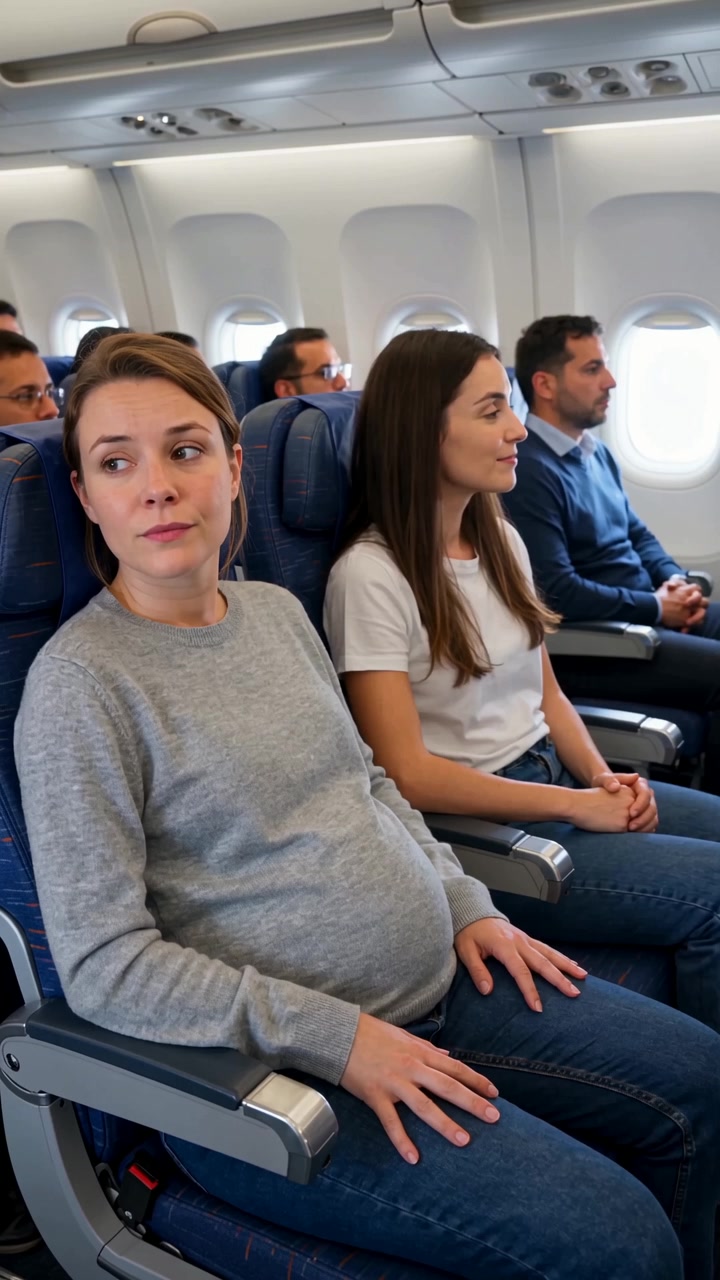 Video
Create a highly realistic UGC-style smartphone video inside a modern commercial airplane during a daytime flight. Natural cabin lighting, subtle handheld camera movement, authentic airplane ambience, realistic passengers and natural acting. The video must feel like a real spontaneous phone...
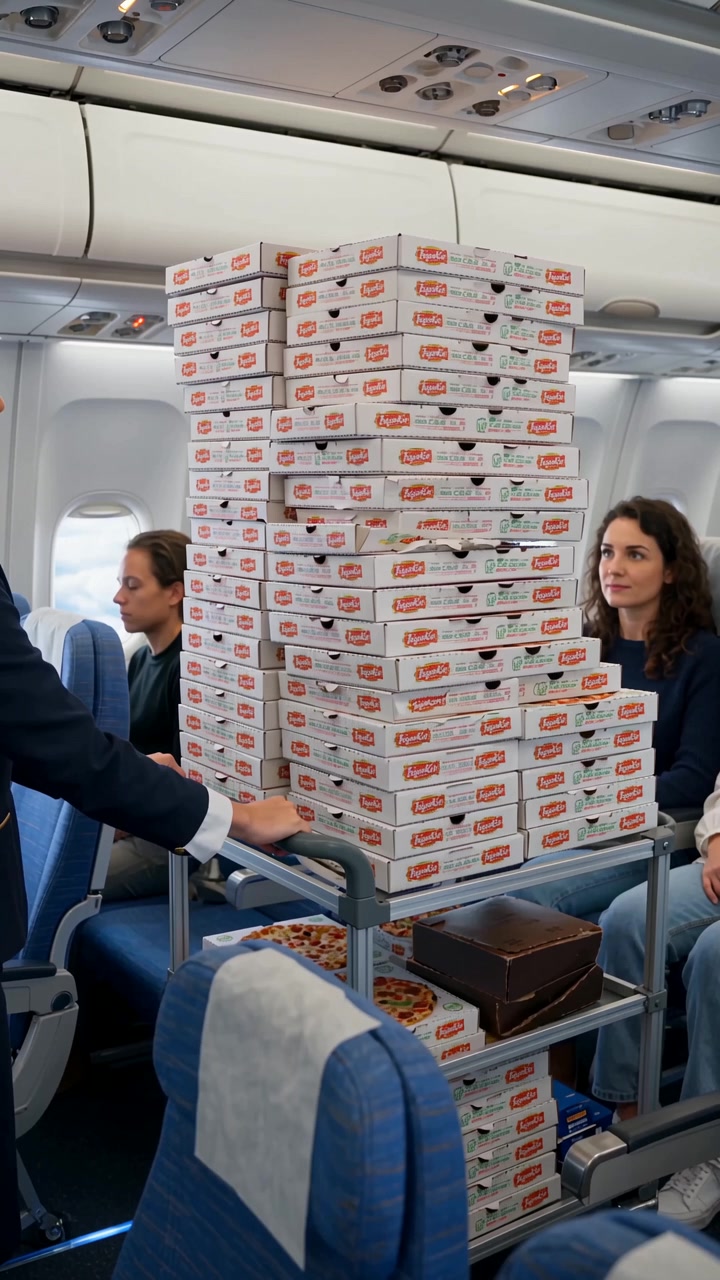 Video
**SORA 2 PROMPT — 20 seconds, vertical 9:16** Create a highly realistic UGC-style smartphone video inside a modern commercial airplane during a daytime flight. Natural cabin lighting, subtle handheld camera movement, authentic airplane ambience, realistic passengers and natural acting. The video...
 Video
Create a realistic cinematic 20-second video, filmed like a high-budget modern commercial with natural acting, realistic lighting and believable facial expressions. All dialogue is spoken naturally in French. **SCENE 1 — EXPENSIVE RESTAURANT, EVENING — 0–5 sec** A young man in his late 20s is...
 Video
Create a realistic cinematic UGC-style commercial video, exactly 30 seconds long. The entire scene takes place inside a modern passenger airplane during a daytime flight. Natural smartphone-like cinematography, realistic airplane cabin, authentic passengers, natural lighting, realistic skin...
 Video
TITLE: Santa's Secret Christmas Selfie with Dasha 🎄 VIDEO FORMAT: 15–20 seconds, vertical 9:16, cinematic Christmas short film, high-quality realistic 3D animation. REFERENCE IMAGE — DASHA_001 Use the uploaded image as the exact character reference for Dasha. Preserve her recognizable face,...
Die Steuerelemente werden aus dem Modellschema generiert. Code und Preis werden aktualisiert, während du sie änderst.
/run/wan-22-trainer/t2v-a14b?wait=20
Preis → 1,60 $
# Run the model; wait up to 20 s for the finished result in the same call
curl -X POST "https://api.doitong.com/v1/run/wan-22-trainer/t2v-a14b?wait=20" \
  -H "Authorization: Bearer $DOITONG_API_KEY" \
  -H "Content-Type: application/json" \
  -d '{
    "training_data_url": "https://example.com/your-file.zip"
  }'

# Still "queued" or "running"? Poll with the id from the response:
curl "https://api.doitong.com/v1/requests/REQUEST_ID?wait=20" \
  -H "Authorization: Bearer $DOITONG_API_KEY"
const API = "https://api.doitong.com/v1";
const headers = {
"Authorization": "Bearer " + process.env.DOITONG_API_KEY,
"Content-Type": "application/json",
};
// Run the model; wait up to 20 s for the finished result in the same call
let res = await fetch(API + "/run/wan-22-trainer/t2v-a14b?wait=20", {
method: "POST",
headers,
body: JSON.stringify({
"training_data_url": "https://example.com/your-file.zip"
}),
});
let request = await res.json();
if (!res.ok) throw new Error(request.error.code + ": " + request.error.message);
// Not finished yet: long-poll until it is
while (request.status === "queued" || request.status === "running") {
res = await fetch(API + "/requests/" + request.id + "?wait=20", { headers });
request = await res.json();
}
if (request.status !== "succeeded") throw new Error(JSON.stringify(request.error));
console.log(request.outputs.map((o) => o.url), request.cost.credits + " API credits ($" + request.cost.usd + ")");import os
import requests
API = "https://api.doitong.com/v1"
headers = {"Authorization": "Bearer " + os.environ["DOITONG_API_KEY"]}
payload = {
"training_data_url": "https://example.com/your-file.zip",
}
# Run the model; wait up to 20 s for the finished result in the same call
r = requests.post(API + "/run/wan-22-trainer/t2v-a14b", params={"wait": 20}, json=payload, headers=headers)
request = r.json()
if not r.ok:
raise RuntimeError(request["error"]["code"] + ": " + request["error"]["message"])
# Not finished yet: long-poll until it is
while request["status"] in ("queued", "running"):
request = requests.get(API + "/requests/" + request["id"], params={"wait": 20}, headers=headers).json()
if request["status"] != "succeeded":
raise RuntimeError(request["error"])
print([o["url"] for o in request["outputs"]], request["cost"]["credits"], "API credits", "$" + request["cost"]["usd"]){
"jsonrpc": "2.0",
"id": 1,
"method": "tools/call",
"params": {
"name": "run",
"arguments": {
"model_id": "wan-22-trainer/t2v-a14b",
"input": {
"training_data_url": "https://example.com/your-file.zip"
},
"wait_seconds": 20
}
}
}Dein Schlüssel bleibt in diesem Browser: Er wird nur an die Doitong API gesendet und nur gespeichert (localStorage), wenn du „Merken“ aktivierst. API-Schlüssel abrufen
Trainiert eine LoRA mit deinem eigenen ZIP-Archiv, das als `training_data_url` übergeben wird, um die Text-zu-Video-Generierung anzupassen. Das Archiv kann Bilder und Videos sowie optionale Textdateien mit Bildunterschriften enthalten; mindestens 10 Elemente werden empfohlen. Passe `number_of_steps` (100 bis 20000, Standard 400), `learning_rate` und `trigger_phrase` an. Die Ausgabe ist eine LoRA-Gewichtsdatei und eine Konfigurationsdatei.
training_data_urlerforderlich
number_of_stepsoptional
learning_rateoptional
trigger_phraseoptional
auto_scale_inputoptional
{
  "id": "req_8k2m4q7x1z9c3v5b6n0p2r4t",
  "object": "request",
  "model": "wan-22-trainer/t2v-a14b",
  "status": "succeeded",
  "created_at": "2026-10-20T12:00:00Z",
  "started_at": "2026-10-20T12:00:02Z",
  "completed_at": "2026-10-20T12:00:09Z",
  "queue_position": null,
  "cost": {
    "credits": 1600,
    "usd": "1.60",
    "charged": 1600,
    "refunded": 0
  },
  "input": {
    "training_data_url": "https://example.com/your-file.zip"
  },
  "output": {
    "lora_file": {
      "url": "https://content.doitong.com/dev-api/2026/10/20/req_8k2m4q7x1z9c3v5b6n0p2r4t/0-output.jpeg",
      "content_type": "image/jpeg",
      "file_name": "0-output.jpeg",
      "file_size": 1843200
    },
    "config_file": {
      "url": "https://content.doitong.com/dev-api/2026/10/20/req_8k2m4q7x1z9c3v5b6n0p2r4t/0-output.jpeg",
      "content_type": "image/jpeg",
      "file_name": "0-output.jpeg",
      "file_size": 1843200
    }
  },
  "outputs": [
    {
      "type": "file",
      "url": "https://content.doitong.com/dev-api/2026/10/20/req_8k2m4q7x1z9c3v5b6n0p2r4t/0-output.jpeg",
      "content_type": "image/jpeg",
      "file_size": 1843200,
      "stored": true
    }
  ],
  "error": null,
  "metrics": {
    "inference_seconds": 6.8
  },
  "urls": {
    "self": "https://api.doitong.com/v1/requests/req_8k2m4q7x1z9c3v5b6n0p2r4t",
    "cancel": "https://api.doitong.com/v1/requests/req_8k2m4q7x1z9c3v5b6n0p2r4t/cancel"
  }
}Für KI-Agenten: Diese Seite ist als Markdown verfügbar unter https://doitong.com/de/developers/models/wan-22-trainer/t2v-a14b.md. Alle Modelle und Anleitungen: https://doitong.com/developers/llms.txt